
The last three lessons improved the study planner in separate steps. We accepted raw text without disguising mistakes, assigned stable identities to tasks, and built reports without changing their source collection. This lesson joins those pieces into one complete console project. The central challenge is not adding another Kotlin feature. It is proving that the agreements between the pieces survive when a realistic sequence of actions crosses all of them.
A common integration mistake is to run the program once, admire the final output, and assume everything worked. That misses important questions. Did rejected input alter storage? Was a duplicate title handled correctly? Did completing one task change an earlier snapshot? We will answer those questions with small acceptance checks and expected totals. The result is still intentionally in memory, allowing us to understand the workflow before adding files, a database, or an Android screen.
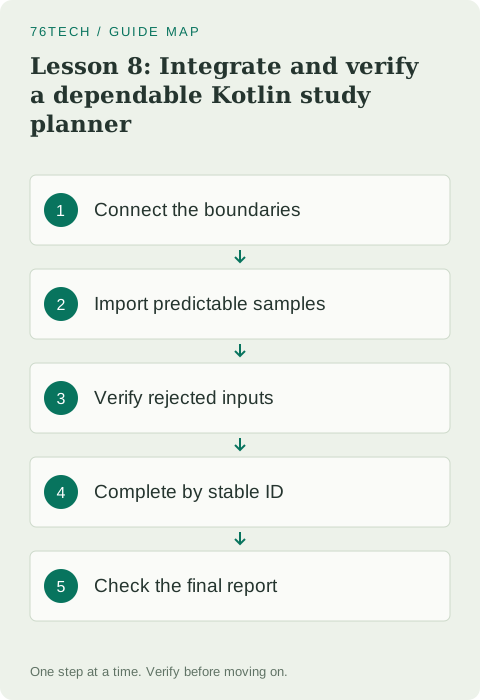
Define what completion means
Our project accepts two study tasks: Read Kotlin for fifteen minutes and Practice functions for twenty-five. It rejects a third attempt with a malformed duration. Before any completion operation, pending time is forty minutes. Completing the first accepted identifier reduces that time to twenty-five. Trying to complete a missing identifier returns false and leaves the planner unchanged. The console ends with one pending-task line and a checkpoint message.
These are acceptance criteria rather than implementation instructions. They say what should be observable regardless of how the functions are organized. Keep them beside your practice file while working. If you choose a different collection representation later, the same behavior should still hold. That gives you a way to change internal code without deciding success solely from whether the new code resembles the old version.
Connect input without handing it storage
The parser now returns a TaskDraft rather than a stored StudyTask. A draft contains accepted title and duration values but has no identifier. StudyPlanner allocates identity only when it stores that draft. This small adjustment avoids giving a parser responsibility for the counter or inventing placeholder identifiers before validation succeeds. Raw input, accepted data, and stored task state have different jobs, so their types make those jobs visible.
InputResult carries either a draft or feedback using the same controlled-construction pattern introduced in lesson 5. addInput connects that outcome to the planner and returns a display message. This connecting function is allowed to perform an update after validation succeeds. The reporting functions remain calculations. Keeping these roles explicit helps you find the boundary where an unexpected mutation could have occurred.
Run the integrated project
Paste the entire program into a fresh Kotlin Playground editor. This is a complete version, so do not paste it beneath earlier declarations with the same names. The main function doubles as a repeatable demonstration and a set of acceptance checks.
const val MAX_SESSION_MINUTES = 240

data class TaskDraft(val title: String, val minutes: Int) {
    init {
        require(title.isNotBlank())
        require(minutes in 1..MAX_SESSION_MINUTES)
    }
}

data class StudyTask(
    val id: Int,
    val draft: TaskDraft,
    val done: Boolean = false
)

class InputResult private constructor(
    val draft: TaskDraft?,
    val message: String?
) {
    companion object {
        fun accepted(draft: TaskDraft) = InputResult(draft, null)
        fun rejected(message: String) = InputResult(null, message)
    }
}

fun parseDraft(titleText: String?, minuteText: String?): InputResult {
    val title = titleText?.trim().orEmpty()
    if (title.isBlank()) return InputResult.rejected("Enter a task title")
    val text = minuteText?.trim().orEmpty()
    if (text.isEmpty()) return InputResult.rejected("Enter a duration")
    val minutes = text.toIntOrNull()
        ?: return InputResult.rejected("Use whole minutes, such as 25")
    if (minutes !in 1..MAX_SESSION_MINUTES) {
        return InputResult.rejected("Choose between 1 and 240 minutes")
    }
    return InputResult.accepted(TaskDraft(title, minutes))
}

class StudyPlanner {
    private val tasks = mutableListOf<StudyTask>()
    private var nextId = 1

    fun add(draft: TaskDraft): StudyTask {
        check(nextId < Int.MAX_VALUE) { "ID capacity exhausted" }
        val task = StudyTask(nextId, draft)
        tasks.add(task)
        nextId += 1
        return task
    }

    fun complete(id: Int): Boolean {
        val index = tasks.indexOfFirst { it.id == id }
        if (index == -1) return false
        tasks[index] = tasks[index].copy(done = true)
        return true
    }

    fun snapshot(): List<StudyTask> = tasks.toList()
}

fun addInput(planner: StudyPlanner, title: String?, minutes: String?): String {
    val result = parseDraft(title, minutes)
    val draft = result.draft
    if (draft == null) return result.message ?: "Input was rejected"
    val task = planner.add(draft)
    return "Added #${task.id}: ${draft.title}"
}

data class StudyReport(val lines: List<String>, val totalMinutes: Long)

fun buildReport(
    tasks: List<StudyTask>,
    include: (StudyTask) -> Boolean
): StudyReport {
    val selected = tasks.filter(include).sortedWith(
        compareBy<StudyTask> { it.draft.minutes }.thenBy { it.id }
    )
    return StudyReport(
        selected.map { "#${it.id} ${it.draft.title}: ${it.draft.minutes} min" },
        selected.sumOf { it.draft.minutes.toLong() }
    )
}

fun main() {
    val planner = StudyPlanner()
    check(buildReport(planner.snapshot()) { !it.done }.totalMinutes == 0L)
    check(addInput(planner, " Read Kotlin ", "15") == "Added #1: Read Kotlin")
    check(addInput(planner, "Practice functions", "25") ==
        "Added #2: Practice functions")
    val beforeRejection = planner.snapshot()
    check(addInput(planner, "Broken duration", "many") ==
        "Use whole minutes, such as 25")
    check(planner.snapshot() == beforeRejection)
    check(buildReport(planner.snapshot()) { !it.done }.totalMinutes == 40L)

    val beforeCompletion = planner.snapshot()
    check(planner.complete(beforeCompletion.first().id))
    check(!planner.complete(999))
    val pending = buildReport(planner.snapshot()) { !it.done }
    check(pending.totalMinutes == 25L)
    check(pending.lines == listOf("#2 Practice functions: 25 min"))
    check(!beforeCompletion.first().done)
    check(planner.complete(1))
    check(buildReport(planner.snapshot()) { !it.done } == pending)

    val duplicates = StudyPlanner()
    val a = duplicates.add(TaskDraft("Review", 10))
    val b = duplicates.add(TaskDraft("Review", 20))
    check(duplicates.complete(b.id))
    check(duplicates.snapshot().first { it.id == a.id }.done == false)
    check(buildReport(duplicates.snapshot()) { !it.done }.totalMinutes == 10L)
    check(parseDraft("Endpoint", "240").draft != null)
    check(parseDraft("Too long", "241").draft == null)
    check(parseDraft(" ", "10").draft == null)

    println("Pending study")
    println(pending.lines.joinToString("\n"))
    println("Total: ${pending.totalMinutes} min")
    println("Integrated planner checkpoint passed")
}
The visible report names only task 2 and shows a total of 25 minutes. Reaching the last line means all preceding checks completed successfully. The parser accepted the upper endpoint, rejected the value above it, and rejected a whitespace-only title. The duplicate-title scenario uses a separate planner, preventing one acceptance case from depending on state left by another. Small independent fixtures make a later failure much easier to reproduce.
Check transitions as well as totals
The beforeRejection snapshot tests that invalid input has no storage effect. The beforeCompletion snapshot tests that replacing an internal task does not alter an earlier view. The repeated completion check tests the operation's existing-task contract. Each one describes a transition, not simply a final number. A wrong implementation could accidentally produce 25 minutes while removing the wrong task or mutating an object the caller expected to remain unchanged.
This is why the program checks the exact pending line as well as its total. Numbers can hide identity mistakes: two different tasks might happen to have equal durations. Compare the observable information that matters to the person using the planner. When a requirement names a selected task, its identity belongs in the check. When a requirement concerns feedback, the expected message belongs there too.
Diagnose a failed check from the first difference
If a check fails, read its condition and locate the earliest operation that could have violated it. A rejected-input storage failure points toward addInput or a parser that incorrectly returned a draft. A duplicate-title failure points toward identity selection inside complete. An incorrect pending line points toward the report predicate, model access, or formatting. Do not start by changing unrelated code merely because it looks complicated.
Keep the failed input unchanged while investigating. Add a temporary print of the relevant snapshot if necessary, then compare it with your prediction. Once you understand the cause, remove the temporary output and rerun every acceptance check. A focused repair is more dependable than broad rewriting because it preserves the parts whose behavior you have already established.
Make one maintenance change deliberately
The integrated model nests title and minutes inside TaskDraft. This is a change from the flat task model in lessons 6 and 7, and the report accesses draft properties accordingly. We make the change because it gives accepted input a useful type and reuses its validation when storing a task. It also demonstrates an integration responsibility: when representation changes, revisit every reader of that representation and its checks.
If you prefer a flat stored model, implement that alternative in a separate copy and keep the acceptance criteria identical. Compare readability rather than counting lines. Both designs can work at this scale. What matters is that validated values keep their meaning, identifiers are allocated by one owner, and copying a completion flag does not unexpectedly share a nested mutable collection. Our draft has only read-only scalar properties, keeping that last assumption simple.
Extend the project with a bounded exercise
Add a reopen operation that marks an existing task unfinished. Define its contract to match complete: true for an existing identifier, false for a missing one. After reopening task 1, pending time should return to forty minutes and both task lines should appear. A snapshot taken before reopening should still show the earlier completion flag. Write those expectations before implementing the method.
Then add a third valid task lasting ten minutes after one rejected attempt. Its identifier should be 3, because failed input never reached allocation. Pending time after completing task 1 should become thirty-five minutes. This exercise checks the interaction between validation and identity, which a separate parser example cannot establish by itself. Keep each new check small enough that you can explain its purpose in one sentence.
Know what this project has not yet earned
The planner does not retain data after execution, handle simultaneous writers, or request interactive input. Its check calls are executable teaching safeguards, not a substitute for an organized test suite in a larger application. Those limits tell you what to learn next. The existing testing, error-handling, and coroutines practice articles can deepen individual topics, while the Android Studio course can provide a real interface and persistent storage in a different project.
Finish this course stage by rebuilding the workflow without copying main, predicting every total, and explaining why invalid input leaves storage unchanged. Save a working copy and record one design decision you would revisit before adding persistence. Consult the official check function reference, collection transformations, and class documentation for specific language questions. Dependable software grows from explicit agreements and observable checks, one small boundary at a time.