
You have built an app with a screen, state, navigation, local storage, and a remote feed. The final step is to decide whether those pieces work together well enough for another person to use. A release is more than a successful build. It is a specific version of the app whose behavior, data handling, and recovery paths you have checked and can describe honestly.
This lesson prepares a first controlled release rather than promising that an application will be accepted by a store. Store requirements, developer-account conditions, and platform policies can change. Check the current official requirements for your account and intended distribution channel when you actually submit. You can complete the engineering exercises and test a signed build before making the app widely available.
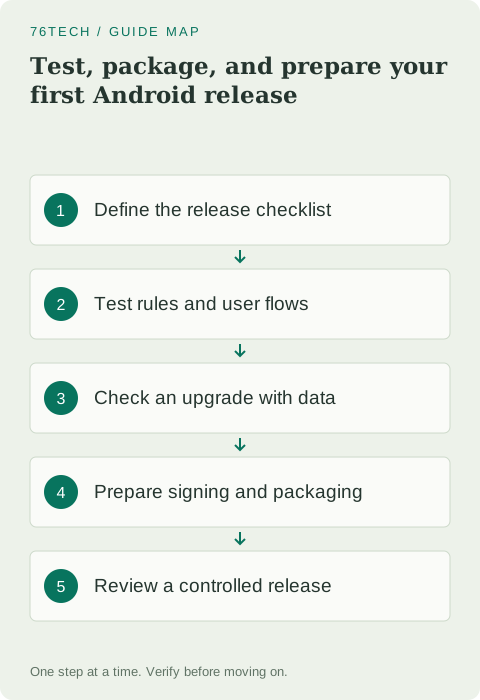
Define the release in terms of user outcomes
Write a short checklist around Field Notes' real promises. A user can create a valid note, reopen it later, edit it, and navigate back predictably. Invalid input does not create a broken record. A failed feed request does not prevent access to local notes. The interface remains usable when the keyboard is open and text is enlarged.
Include recovery and update behavior. A database migration should preserve earlier records, and a failed save should not discard the draft. These promises become your acceptance criteria. Avoid a checklist made only of technical actions such as compiling and signing, because those can succeed while the application still fails the task it was built to support.
Test pure rules quickly and precisely
Local unit tests are a good fit for functions that do not need Android behavior. The title-validation rule from lesson two is a useful example because a mistake would affect every path that creates a note. In the generated local test source set, use the project's configured test framework; the example below uses JUnit 4 imports from org.junit.
class TitleRulesTest {
    @Test
    fun blankInputIsRejected() {
        assertFalse(isValidTitle("   "))
    }

    @Test
    fun titleAtTheLimitIsAccepted() {
        assertTrue(isValidTitle("x".repeat(80)))
    }

    @Test
    fun titleBeyondTheLimitIsRejected() {
        assertFalse(isValidTitle("x".repeat(81)))
    }
}
Import Test, Assert.assertTrue, and Assert.assertFalse. Add a normal-title case and a case with surrounding spaces. Check that the expected results express the product rule rather than merely duplicating the implementation's steps. A useful test should fail if somebody later removes a necessary validation boundary.
Test the interface through observable behavior
Compose UI tests operate on semantics exposed by the interface. Prefer meaningful labels and behaviors over fragile assumptions about pixel coordinates. Configure the compatible Compose test artifacts and an appropriate test host using the official guide. Instrumented UI tests run in an Android environment rather than the plain local JVM test source set.
For the editor, start with blank input and verify that Save is disabled. Enter a valid title, verify that Save becomes enabled, tap it, and check the callback result or the persisted record in the intended test layer. Use string resources from the test's target context when locating product labels, so the test does not become a second source of translated text.
Do not test every implementation detail at every layer. A screen test can verify input and callbacks with a fake state owner, while a repository test checks persistence. Add a smaller number of end-to-end tests for the complete critical flow. This keeps failures understandable and avoids a slow collection of tests that all fail for the same trivial reason.
Verify storage and navigation together
Create several notes with distinct titles, close the editor, and reopen the app. Open each note by identifier and edit one. Confirm that the changed record appears in the list without duplicate entries. Test the missing-record state and repeated Save taps so that success and failure behavior remain deliberate.
For an update test, install an earlier version, create data, then update using a compatible signing identity and a higher version code. Do not uninstall between versions because that normally removes the very local data you meant to test. Verify the migration on realistic earlier schemas, and use Room's migration test support for repeatable checks alongside manual inspection.
Inspect the release variant itself
A debug build is not identical to a release build. Different configuration, resource handling, shrinking, and logging choices can affect the result. Build and inspect the actual variant you intend to distribute. Run lint and address relevant issues, then repeat the core workflow against the packaged release where the distribution method supports it.
Check that development endpoints, temporary practice-result messages, and verbose diagnostic logging are gone or appropriately controlled. Make sure the optional feed uses the intended endpoint and that failures still have a recovery path. Do not assume a successful emulator session proves every device size, Android version, or release configuration behaves correctly.
Prepare a signing identity you can maintain
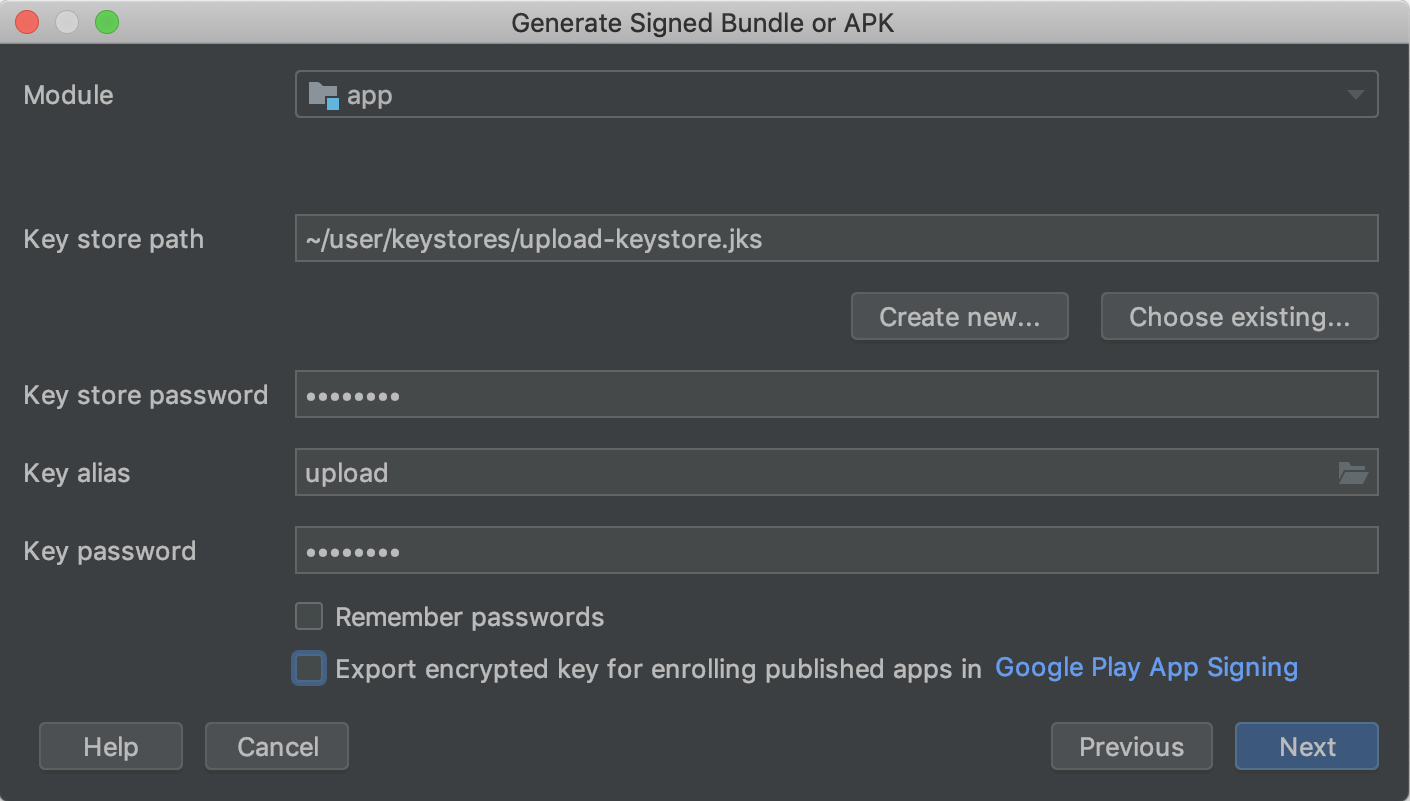
Android release artifacts require signing. Follow Android Studio's supported signed-bundle or APK workflow, and understand the difference between an app signing key and an upload key when using Play App Signing. Store private keys and passwords securely outside the public source repository, with recovery arrangements appropriate to the distribution process.
Record which signing arrangement belongs to this app and how future updates will be produced. A private key should not appear in an article, screenshot, or shared build log. If an upload key is lost or exposed, use the provider's supported recovery process. Do not treat creating another unrelated key as an automatic way to update every existing installation.
Choose the artifact and distribution path
An Android App Bundle is a publishing artifact used by Google Play to generate suitable installable packages. It is not a file you normally install directly on a phone like an APK. For local release inspection or another distribution channel, use the artifact and signing method that channel supports. Keep its purpose clear in your release notes.
Set a meaningful visible version name and increment the version code appropriately for updates. Record the source-control commit used to build the artifact, the build variant, and the checks that passed. This gives you a way to reproduce or investigate the release later instead of relying on a folder containing several files named final.
Review the listing and data statements honestly
Describe the features that actually work, with screenshots from the version you intend to ship. Do not advertise cloud synchronization when the app only stores notes locally, or offline feed availability when no cache exists. Review the libraries and services you included when preparing data-handling disclosures; their behavior matters as well as the code you wrote directly.
Check current Play Console requirements for verification, testing eligibility, target API levels, content declarations, and data safety. These depend on the release context and may change, so follow the current console and official guidance rather than freezing a checklist of policy numbers into your app. Begin with an appropriate controlled testing channel and resolve feedback before widening the audience.
Complete the capstone and plan the next feature
Ask someone to create and edit a fictional note without coaching them through every tap. Record where they hesitate and what they expect the Save action to mean. Combine that feedback with your test results, then fix concrete issues before adding a new feature. A small application with dependable behavior teaches more than a large one with uncertain data handling.
Your final deliverable is a versioned release artifact, a short test record, and a checklist that distinguishes completed checks from remaining work. Read the Compose testing guide, Android app signing guide, and Play release documentation for the current procedures. You have reached the end of the beginner path; next, practice one focused extension such as search, an export feature, or a tested draft-recovery policy while keeping the same boundaries clear.