
Network access introduces uncertainty that local examples can hide. A response may be slow, empty, malformed, or unavailable. Field Notes will add an optional reading feed containing titles you can use as learning prompts. The feed should never become a requirement for opening the notes already saved on the device.
We will first design the behavior with a fake data source, then inspect a small HTTPS implementation. This order makes the UI testable before a server is involved. The code samples demonstrate individual boundaries rather than an entire production networking stack. A larger app should select a maintained HTTP client and serialization approach suited to its API, while preserving the state and failure principles practiced here.
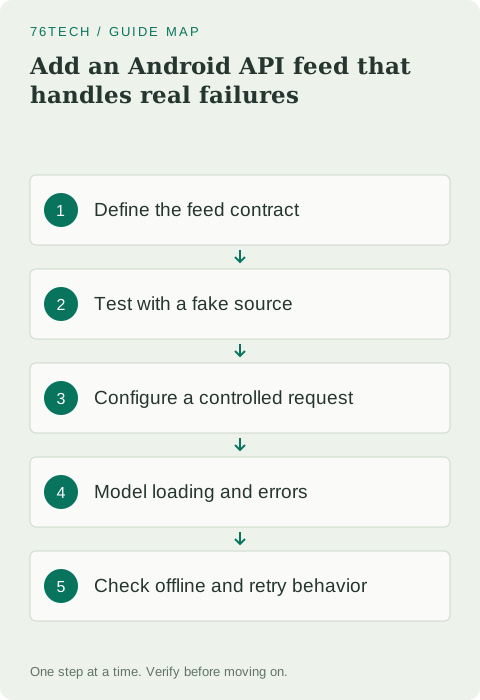
Define a small contract you can verify
Our practice feed returns a JSON array of objects with a title string. Use a controlled endpoint you own or a documented endpoint that allows the intended access. Do not assume that a random website is an API or that a successful browser page will have the expected JSON structure.
[
  { "title": "Understand state ownership" },
  { "title": "Practice a database migration" }
]
Specify whether an empty array is a valid result, how long titles may be, and what happens when an object lacks its required field. For this exercise, reject malformed items instead of silently inventing meaningful-looking data. That explicit rule helps you explain a parsing error and keeps the display from misleading the user about what the server actually returned.
Create a fake source before adding permissions
Introduce an interface with a suspend operation. Your ViewModel should depend on this interface rather than directly on connection details. A fake implementation lets you create predictable delays and results without waiting for a public service or consuming request quotas.
interface TitlesFeed {
    suspend fun loadTitles(): List<String>
}

class PracticeTitlesFeed : TitlesFeed {
    override suspend fun loadTitles(): List<String> {
        delay(500)
        return listOf("Understand state ownership", "Test a save failure")
    }
}
Import delay from kotlinx.coroutines. Add separate fake implementations that return an empty list and throw an expected failure. Use those to build the UI's loading, content, empty, and error states before touching the real network. A controllable fake is also useful for testing repeated taps and ensuring a second request does not unintentionally replace newer state.
Configure only the permissions you need
Add the internet permission inside the manifest root, outside the application element. It is a normal permission and does not require a runtime permission dialog. Network-state inspection has its own permission if your implementation uses that capability; checking a connectivity flag still does not guarantee that a particular server is reachable.
<uses-permission android:name="android.permission.INTERNET" />Use HTTPS for your controlled endpoint. Do not disable certificate verification or broadly allow cleartext traffic to make an error disappear. If you run a development server on your computer, remember that the emulator and physical device have their own network environments. A device's loopback address refers to that device, so it is not automatically the same as your computer's local server address.
Keep a blocking request off the UI thread
The example below uses Android's available HttpURLConnection and org.json.JSONArray for a small bounded practice response. Import URI from java.net, HttpURLConnection, IOException, and coroutines' Dispatchers and withContext. Supply a real authorized HTTPS URL with the JSON contract above when constructing the adapter.
class HttpTitlesFeed(private val endpoint: String) : TitlesFeed {
    override suspend fun loadTitles(): List<String> =
        withContext(Dispatchers.IO) {
            val url = URI(endpoint).toURL()
            require(url.protocol == "https") { "HTTPS endpoint required" }
            val connection = url.openConnection() as HttpURLConnection
            try {
                connection.requestMethod = "GET"
                connection.connectTimeout = 10_000
                connection.readTimeout = 10_000
                if (connection.responseCode != 200) {
                    throw IOException("Feed request was unsuccessful")
                }
                val body = connection.inputStream.bufferedReader().use {
                    it.readText()
                }
                val items = JSONArray(body)
                List(items.length()) { index ->
                    val title = items.getJSONObject(index)
                        .getString("title").trim()
                    require(isValidTitle(title)) { "Invalid feed title" }
                    title
                }
            } finally {
                connection.disconnect()
            }
        }
}
Use this only for a small response whose size you control: readText loads the entire body into memory. A production adapter needs suitable response-size handling, documented status behavior, and client configuration. Dispatching blocking work to IO protects the UI thread, but does not make every blocking call instantly cancellable. Finite timeouts and a client with an appropriate cancellation model still matter.
Make the ViewModel describe the outcome
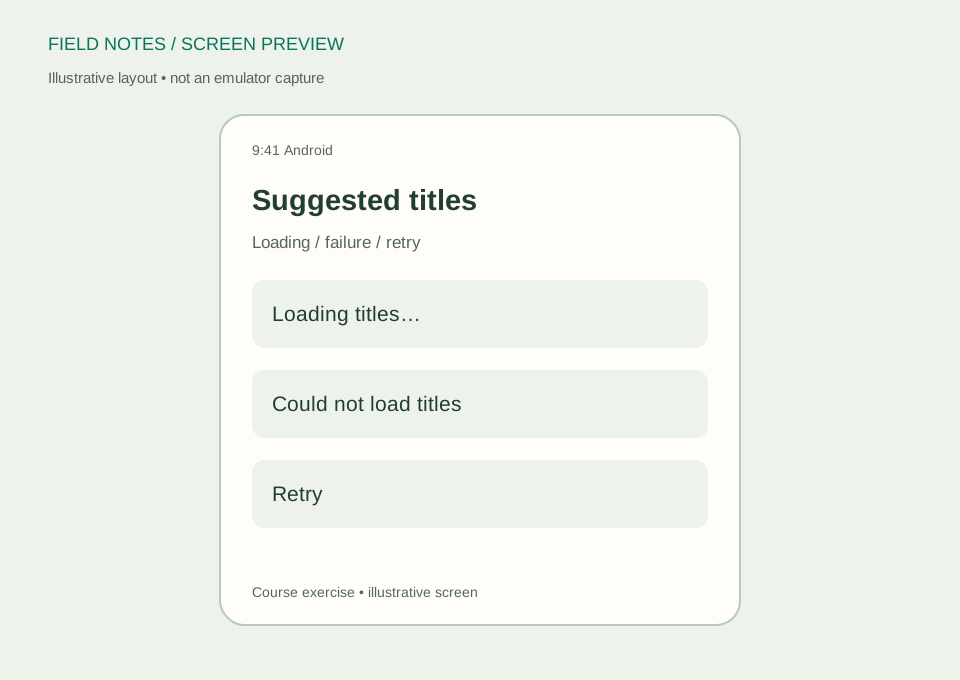
Represent the feed as explicit states such as Idle, Loading, Content, Empty, and Failed. A loading indicator should correspond to an actual pending request. An empty response deserves a different message from a connection failure because the recovery action is different. A failed refresh can also preserve older content if that behavior is clearly communicated.
Launch the request in the ViewModel's scope, handle expected transport and parsing failures, and restore a usable state afterward. If a catch block can catch CancellationException, rethrow it so coroutine cancellation is not converted into an ordinary error. Avoid showing raw exception text to users or logging complete responses that may contain information unsuitable for logs.
Design retry as an action, not an infinite loop
A retry button lets the user choose when to try again. Disable or coordinate it while a request is pending. If repeated requests are allowed, decide whether the older request is cancelled or whether results are applied only when they still correspond to the current request. Without that policy, a slower response can overwrite a newer one unexpectedly.
Do not add automatic retries to every failure. Invalid JSON or a forbidden request will not necessarily improve because it is repeated. Respect the endpoint's limits, and use documented backoff behavior when you later implement automatic recovery. The local note list should stay available regardless of the feed's current status.
Test conditions that a fast connection hides
Run the interface with the delayed fake, empty fake, and failing fake. Then use your controlled server to test a valid body, an unexpected status, and malformed JSON. Switch away from the feed while it loads and inspect whether its lifecycle behavior matches your design. Check that rotating the device does not start duplicate requests unintentionally.
Your exercise is to add a refresh action that preserves existing saved notes and displays an understandable result for every feed outcome. Consult the Android connectivity guide and Kotlin coroutine cancellation guidance. You are ready for release preparation when network failure is a supported state of the application rather than a surprise that breaks its core workflow.