
The editor now responds to typing, but we need to decide who owns its information. Android can recreate an activity, a user can move to another destination, and the system can terminate the app process. A value that survives one event does not automatically survive all the others. Understanding these boundaries prevents the frustrating experience of an app silently discarding a draft.
In this lesson, we will move the editor's main state into a ViewModel and observe it from Compose. The example remains an in-memory practice implementation. It does not claim to save notes permanently. That explicit boundary lets us learn how events and state flow before connecting Room in lesson six.
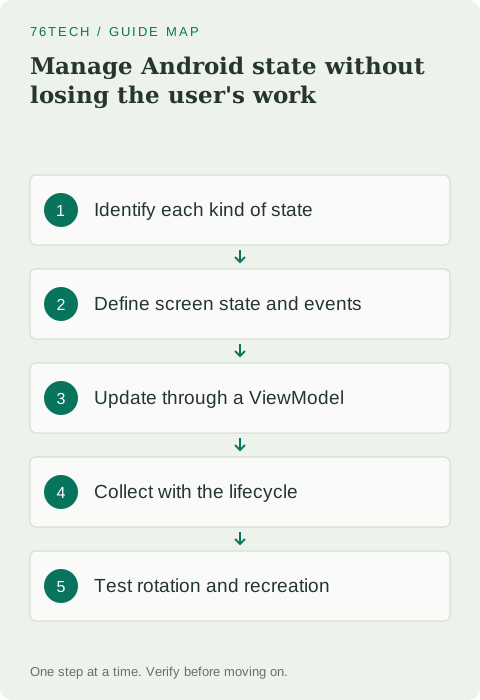
Classify state by what it means
Some state is transient interface information, such as whether a menu is expanded. Some belongs to a screen's workflow, such as a draft title or a save operation in progress. Other information is durable application data, such as a note the user has intentionally saved. These categories can have different owners and recovery requirements.
Write down how each item should behave after rotation, navigation, process recreation, and a fresh launch. A saved note should remain after the app closes. An open tooltip probably does not need that guarantee. A draft requires a product decision: if you promise recovery, implement and test it instead of relying on whichever storage happens to keep it alive during a quick demo.
Define one readable screen-state value
A screen-state object collects the information needed to render the editor. Keep it small and name properties around the UI's meaning. Here, lastSavedTitle represents the result of our practice save operation. Once a repository exists, the state can represent actual saving and error conditions without forcing the screen to query the database itself.
data class EditorUiState(
    val title: String = "",
    val lastSavedTitle: String? = null
)
The nullable result distinguishes no completed practice save from a real title. Avoid several booleans that allow contradictory combinations, such as loading and failed and succeeded all being true. More complex workflows may benefit from an explicit sealed status type. Start with the simplest model that can describe every case the current interface actually supports.
Give a ViewModel the state and events
Add the compatible Lifecycle ViewModel and Compose integration artifacts following the current official setup instructions. The snippet uses androidx.lifecycle.ViewModel and kotlinx.coroutines.flow types: MutableStateFlow, StateFlow, asStateFlow, and update. Import those symbols, and keep the title-validation function from lesson two available in the same module.
class EditorViewModel : ViewModel() {
    private val mutableState = MutableStateFlow(EditorUiState())
    val uiState: StateFlow<EditorUiState> = mutableState.asStateFlow()

    fun onTitleChange(value: String) {
        mutableState.update { it.copy(title = value) }
    }

    fun savePracticeNote() {
        mutableState.update { state ->
            if (isValidTitle(state.title)) {
                state.copy(lastSavedTitle = state.title.trim())
            } else {
                state
            }
        }
    }
}
The UI receives read-only state and calls event functions. It does not reach inside the mutable flow. Updating immutable state with copy makes the change visible and easy to inspect. The practice function validates again because rules should not depend entirely on a button being disabled; another caller could invoke the same event.
Observe state in a route composable
A route composable connects the state owner to the reusable screen. Keep the editor from lesson three focused on displaying values and reporting events. Use the ViewModel integration's viewModel() function with an appropriate owner rather than constructing a fresh ViewModel directly inside a composable on every run.
@Composable
fun EditorRoute(viewModel: EditorViewModel = viewModel()) {
    val state by viewModel.uiState.collectAsStateWithLifecycle()
    NoteEditor(
        title = state.title,
        onTitleChange = viewModel::onTitleChange,
        onSave = viewModel::savePracticeNote
    )
}
Import viewModel from the Lifecycle Compose integration, collectAsStateWithLifecycle from androidx.lifecycle.compose, and the Compose delegated-state getter. Lifecycle-aware collection controls observation in relation to the Android lifecycle; it is not a database or a guarantee that every upstream operation stops automatically. Understand the flow producer as well as the collector when introducing background work later.
Explain why recomposition must remain predictable
Compose may call a composable again when the state it observes changes. Rendering should not itself trigger a save merely because the function ran. An event callback represents the user's action, while a side-effect API provides a controlled way to coordinate appropriate work with composition when necessary.
Do not fetch data in the top-level body of a composable on every recomposition. That can create repeated requests and confusing state transitions. Decide whether the operation belongs in a ViewModel event, an initialization path, or a carefully keyed effect. Choose one owner for the operation, then verify how many times it runs when the screen is recreated.
Distinguish four recovery boundaries
remember retains a value across recompositions while that composition remains present. rememberSaveable can restore suitable small UI state through the saved-state mechanism when the host is recreated. A ViewModel survives configuration changes for its owner, but its in-memory values do not independently survive process death. Durable saved notes belong in persistent storage.
For small draft recovery, evaluate SavedStateHandle in a ViewModel or rememberSaveable at the appropriate UI level. Neither should become a container for a large database or a file attachment. Store only the minimal recovery information, such as a title or selected identifier. Reconstruct larger data from the repository when the screen returns.
Scope the owner around the intended workflow
A ViewModel belongs to an owner such as an activity or navigation entry. Choosing the owner changes when it is created and cleared. If every screen uses one activity-scoped owner, unrelated workflows can accidentally share stale editor state. If each destination has an isolated owner, information needed across screens must come from a deliberate shared source.
For Field Notes, keep note records in a repository and scope an editor's draft to the editor workflow. Later, pass a note identifier into the destination and load its record rather than passing an entire mutable object between screens. This separation makes navigation, restoration, and editing behavior easier to test together.
Verify the boundary you actually implemented
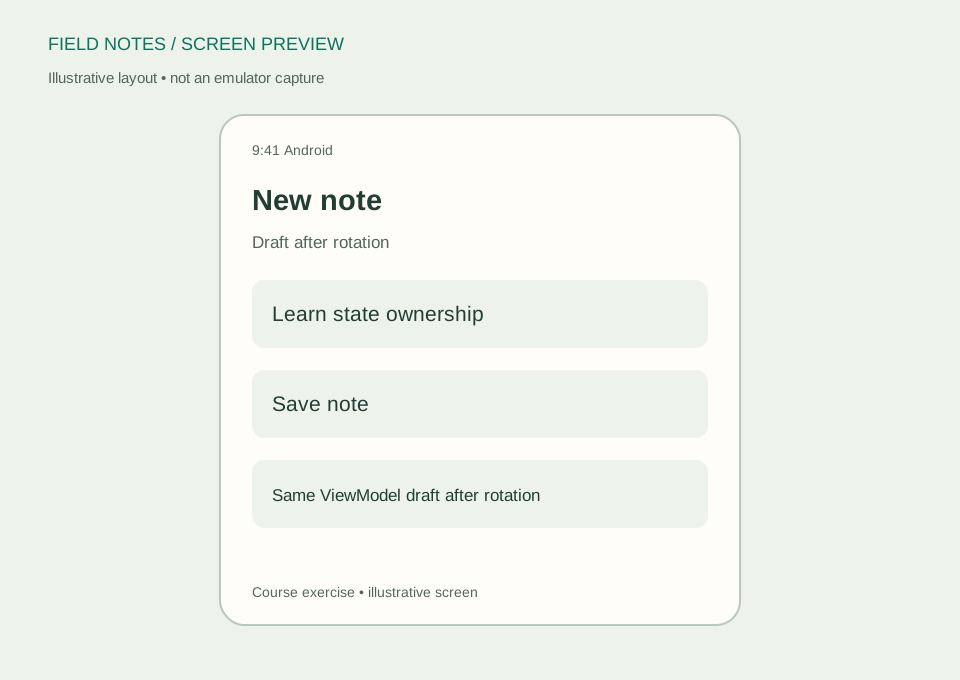
Type a title and rotate the device. Confirm that the route retrieves the same appropriately scoped ViewModel and the draft remains. Then distinguish a rotation test from process-recreation testing using the documented tooling for your environment. Do not use a successful rotation as evidence that the draft survives every kind of app termination.
Your exercise is to document which state survives now, then implement small draft recovery before promising it to a user. For deeper guidance, read the ViewModel overview and Compose state documentation. You are ready for navigation when the screen has a clear owner, a small state model, and event functions whose effects you can explain.