
Field Notes needs more than one screen. A list helps users choose a note, while an editor focuses on creating or updating it. Navigation connects those activities and determines what happens when a person goes back. A collection of clickable buttons is not enough: the app should preserve a predictable history and make recovery from missing data understandable.
This lesson uses a minimal Navigation Compose host to demonstrate a list and an editor. Android also provides Navigation 3, and its back-stack model uses different APIs. Select one library family for your project and follow its matching documentation. Do not combine snippets from different navigation generations simply because their names all contain the word navigation.
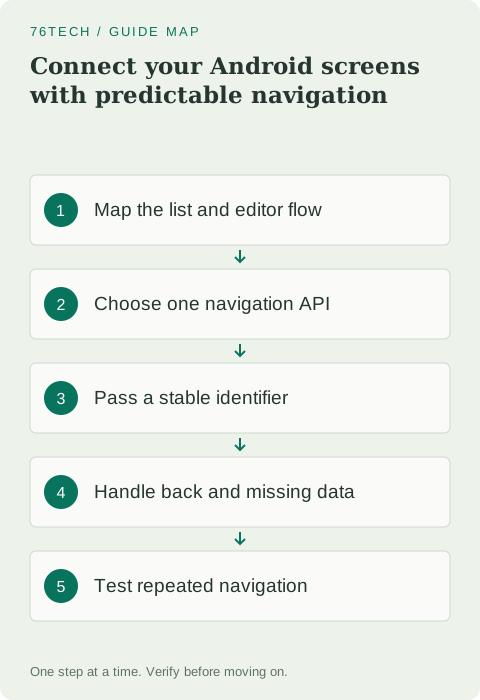
Draw the flow and its return paths
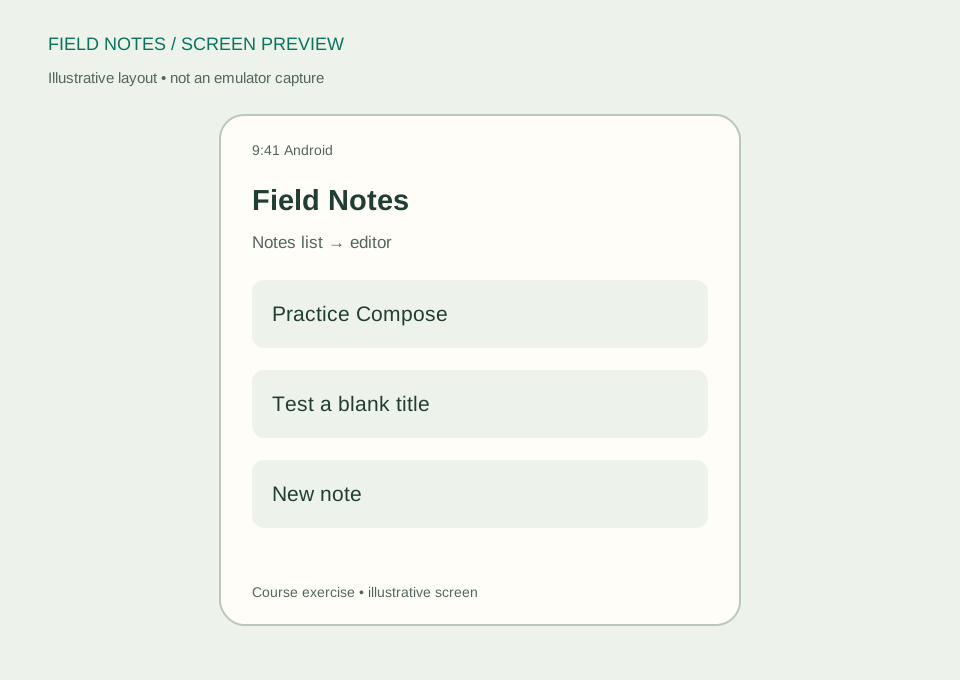
Start with a list destination. From it, a user can create a new note or open an existing note by identifier. Saving or cancelling should return to the expected previous destination. An editor opened from an external entry point may need a different fallback because there may not be a list beneath it in the back stack.
Write down the behavior for a deleted identifier, an invalid argument, and repeated taps. Decide whether an unsaved draft requires a confirmation or should be retained. These are application decisions, not details that a library can infer from a route string. A small flow diagram helps you see missing return paths before writing code.
Add a compatible navigation dependency
For this example, add the stable androidx.navigation:navigation-compose artifact compatible with your project's tooling, using the version catalog or dependency style already present. Follow the official Navigation documentation for setup. Keep the generated Compose and Kotlin configuration consistent rather than upgrading several unrelated libraries to solve a single missing import.
The host below uses Navigation Compose's string-route API to keep the first example compact. Type-safe routes are another supported approach when configured appropriately; use them as the app grows to reduce manual argument handling. The sample functions NotesListScreen and NoteDestination are adapters you will define around your own screen composables, not built-in library components.
Create a small host with explicit destinations
Import NavHost, composable, and rememberNavController from androidx.navigation.compose, plus NavType and navArgument from androidx.navigation. The controller belongs at the navigation boundary. Your reusable list and editor should receive callbacks instead of needing to know which navigation library their parent selected.
@Composable
fun FieldNotesNavigation() {
    val controller = rememberNavController()
    NavHost(controller, startDestination = "notes") {
        composable("notes") {
            NotesListScreen(
                onCreate = { controller.navigate("new") },
                onOpen = { id -> controller.navigate("note/$id") }
            )
        }
        composable("new") {
            NoteDestination(
                noteId = null,
                onBack = { controller.popBackStack() }
            )
        }
        composable(
            route = "note/{noteId}",
            arguments = listOf(
                navArgument("noteId") { type = NavType.LongType }
            )
        ) { entry ->
            val id = requireNotNull(entry.arguments).getLong("noteId")
            NoteDestination(
                noteId = id,
                onBack = { controller.popBackStack() }
            )
        }
    }
}
Define NotesListScreen to accept onCreate: () -> Unit and onOpen: (Long) -> Unit. Define NoteDestination to accept noteId: Long? and onBack: () -> Unit. A null identifier means create mode for this specific adapter; a positive existing identifier means edit mode. For a practice list, use the fictional notes from lesson two and pass their identifiers through the callbacks.
Pass identity rather than an entire record
The destination should receive the minimum information needed to retrieve current data. Passing a stable identifier avoids making the navigation stack a second database full of stale titles. The repository can then load the note and report whether it still exists. This remains useful after process recreation, when the screen may need to reconstruct its state.
Do not place a complete JSON note, a password, or a large attachment in the route. URLs and arguments have different handling constraints, and sensitive values may leak through logs or external entry points. If you later use string arguments, encode them correctly or use configured type-safe routes. Our numeric identifier deliberately avoids the first exercise becoming a lesson in arbitrary URL escaping.
Model loading and missing records
An identifier parsed successfully does not guarantee that its record exists. A user could delete a note elsewhere, or an old external link could point to data no longer present. The editor should display an understandable unavailable state instead of crashing or silently creating a new record with that identifier.
Before Room exists, implement the lookup against a small fake repository. Return a result that distinguishes found and missing data. Once persistence is connected, retain the same UI behavior and replace the data source. Separating these responsibilities lets you test the destination without requiring an emulator to generate every possible database condition.
Respect back, up, and completion behavior
In the simple in-app flow, popBackStack returns to the previous destination instead of adding another copy of the list. Calling navigate("notes") every time the editor closes can create an ever-growing history unless you configure the intended stack behavior. Test by opening and closing the editor several times, then pressing system Back.
The sample assumes the editor was reached from the list. When adding deep links or other independent entry points, handle the case where popping has no previous destination. Back follows navigation history, while Up typically follows the app's hierarchy. Use the navigation library's documented integration rather than consuming every back event yourself and breaking system behavior.
Keep navigation out of database operations
A save should complete successfully before the app reports completion or leaves the editor. Once saving becomes asynchronous, expose its result through an appropriate state or event contract. An error should keep the draft available and show a useful recovery path. Simply navigating away after a button tap can make a failed write look successful.
Disable or otherwise handle duplicate submissions while a save is in progress. Choose a deliberate behavior for rapidly repeated navigation taps as well. These details affect data correctness and history, not just animation. A short manual test with repeated taps can reveal a flawed event boundary before you invest in visual polish.
Finish with a navigation test matrix
Open a valid note, open a missing note, create a note, cancel, and repeat the flow. Rotate while editing and confirm that the correct identifier and state owner remain associated with the destination. Check system Back and any app-bar Up control separately. Record the expected destination after each action.
Your exercise is to make the list show a distinct empty state and a Create action when it has no notes. Read the Android Navigation guide and Compose navigation testing guide as you expand the flow. The next lesson replaces temporary note data with Room so that navigating away does not mean losing the work the user saved.