
Until now, our notes have lived in temporary examples or in-memory screen state. That is enough to learn UI behavior, but it is not enough to promise that a user's saved work remains available tomorrow. Room gives Field Notes a structured local database and a clear place to put durable records. The editor can then report success only after its write succeeds.
This lesson adds one table, a small data access object, and a repository boundary. The examples use the Room 3 API family reflected in the official documentation checked for this course. Room 2 examples use different packages and some different setup details. Keep your runtime, compiler, imports, and builder configuration within one compatible family; do not mix both merely to resolve an error.
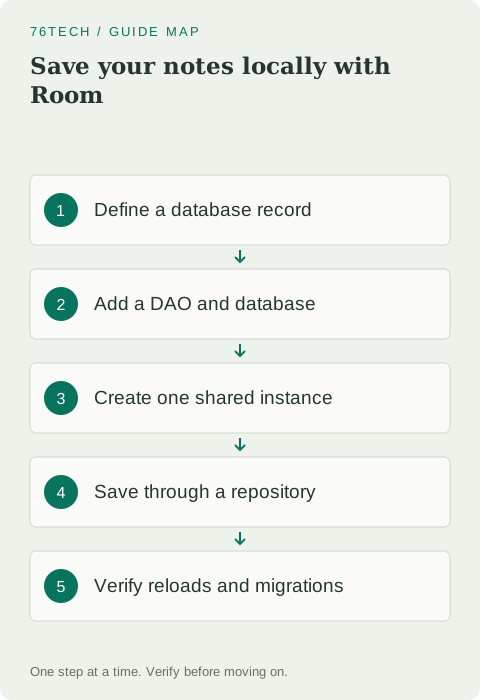
Add the matching runtime and compiler
Follow the official Room setup page for a stable compatible release and KSP configuration. For Room 3, the runtime and compiler coordinates use androidx.room3, and the Kotlin annotation-processing setup uses KSP. Add them using the dependency conventions already present in your project, then synchronize successfully before defining the table.
Generated implementations come from the compiler step. If the database implementation is missing at runtime, investigate processor configuration and build output rather than creating a handwritten class with the generated name. Keep schema export configured as directed by the matching Room release. Version changes should be deliberate so that the project remains buildable for somebody following your notes later.
Define the stored record separately
Our earlier Note model describes a note in application logic. The entity below describes a database row. Keeping the names distinct helps you see where conversion belongs if storage details and UI needs diverge. Import Room annotations from androidx.room3 for this API family.
@Entity(tableName = "notes")
data class NoteEntity(
    @PrimaryKey(autoGenerate = true) val id: Long = 0,
    val title: String,
    val done: Boolean = false
)
New rows use the default identifier so Room can generate one. Existing rows retain their stable identifier. Decide what the title column means: in Field Notes, it contains a trimmed, validated title rather than raw form input. The database model alone does not implement that rule, so enforce it at the save boundary before constructing the record.
Give the DAO narrow operations
A DAO describes database operations without turning the UI into a SQL editor. Import Flow from kotlinx.coroutines.flow alongside the Room annotations. The list query has explicit ordering, and the identifier lookup can return null when the record does not exist.
@Dao
interface NoteDao {
    @Query("SELECT * FROM notes ORDER BY id DESC")
    fun observeNotes(): Flow<List<NoteEntity>>

    @Query("SELECT * FROM notes WHERE id = :id LIMIT 1")
    suspend fun findNote(id: Long): NoteEntity?

    @Insert
    suspend fun insert(note: NoteEntity): Long

    @Update
    suspend fun update(note: NoteEntity): Int
}
The query parameter binds an identifier rather than concatenating it into a SQL string. The update's affected-row count is useful: zero can mean the intended record no longer exists. Do not display a success message blindly after every call if the operation's result indicates that nothing was updated. Design the repository result around the behavior the editor needs to communicate.
Create the database once at the app boundary
Define an abstract RoomDatabase subclass with a DAO accessor. For the Room 3 builder shown here, use the compatible AndroidSQLiteDriver from the AndroidX SQLite driver artifact required by your chosen setup. Let the official dependency and import instructions guide that configuration instead of importing a similarly named class from another library.
@Database(entities = [NoteEntity::class], version = 1)
abstract class NotesDatabase : RoomDatabase() {
    abstract fun noteDao(): NoteDao
}

// Create this in your app-level container, not in a composable.
val database = Room.databaseBuilder<NotesDatabase>(
    applicationContext,
    "field-notes.db"
).setDriver(AndroidSQLiteDriver()).build()
Retain one database instance in an app-level dependency container for this single-process practice app. Expose the repository from that container and provide it to the ViewModel through a factory or the injection approach your project uses. Avoid retaining an activity context in a long-lived container. Construction and ownership are important even in a small project, because opening a new database instance during each recomposition is not a sensible lifecycle strategy.
Put validation and saving behind a repository
A repository gives the ViewModel a small application-oriented interface. For the first implementation, support creating a new note and observing the list. Import Flow's map extension if you convert entities into the plain model. The snippet below demonstrates the create operation; your list adapter should preserve the generated identifiers when building Note objects.
class NotesRepository(private val dao: NoteDao) {
    suspend fun createNote(rawTitle: String): Long {
        require(isValidTitle(rawTitle)) { "Invalid note title" }
        return dao.insert(NoteEntity(title = rawTitle.trim()))
    }
}
Call this suspend function from an appropriately scoped coroutine in the ViewModel, such as viewModelScope.launch. Replace savePracticeNote with a real save workflow that exposes saving, success, and failure. Preserve the draft after failure and allow an intentional retry. Prevent duplicate submissions while the first write is running, and use a returned success result to decide when navigation may leave the editor.
Observe the list instead of keeping two copies
Use the DAO's observable query through the repository as the list's data source. Convert records into UI models at a clear boundary and collect the resulting state with lifecycle awareness. The database becomes the source for saved records, while the editor can still have a draft that has not been committed.
Avoid adding a record manually to a UI list and then separately inserting it into the database unless you have designed the synchronization behavior. Otherwise, a failed insert can leave the UI showing a note that was never saved. Start with a simpler flow in which the observable database query reflects successful writes and the UI communicates when an operation is still pending.
Test persistence and schema changes separately
Create two notes, close the app normally, and reopen it. Confirm that both titles remain and their identifiers still open the correct records. Restart the process and repeat the check. Clearing app storage or uninstalling removes local app data, so those actions test a fresh start rather than proving that persistence failed during an ordinary launch.
Before changing a stored column, plan a schema version change and migration. Test an update against a database created by the earlier version, not only a fresh empty database. Do not enable destructive fallback casually to make a migration error disappear; it can discard user records. The practice app should teach preservation of data, not treat lost notes as an acceptable shortcut.
Finish with an end-to-end save exercise
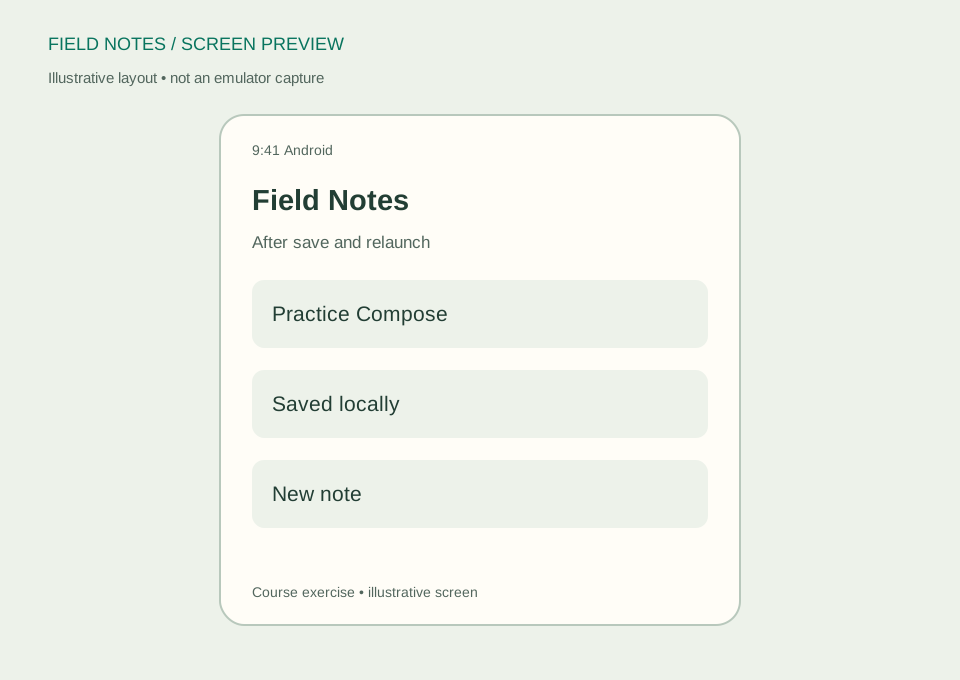
Try a blank title, a valid title, and editing a record that was removed before the update. Decide what message each result needs. Confirm that the list refreshes from stored data and that the editor keeps useful information when saving fails. These checks bring together validation, navigation, state ownership, and persistence.
Read the Room database guide and Room migration documentation for configuration and upgrade details. Your checkpoint is a note that remains usable after the app closes, plus a documented update strategy. In the next lesson, we will add remote information while keeping those local notes independent of network availability.